
Looking for a SharePoint alternative? Most organizations end up needing far less than SharePoint offers - usually just a solid way to store and share their documents.
SharePoint bundles a document store, an intranet, a wiki and a collaboration suite into one product. Plenty of organizations only ever wanted document management software. Yet most use only a slice of what they pay for. This means that you’re often better off picking a tool for your main job than chasing another all-in-one platform.
I’ve researched and compared the best SharePoint alternatives and grouped them by the job they’re best at.
The Quick Verdict
Short on time? Here are my top picks for the best SharePoint alternatives in each category.
- Best for public document libraries on your own site: Document Library Pro, which publishes a searchable library to the open web or to internal contacts on any platform.
- Best for secure enterprise storage: Box, for regulated industries that need granular permissions and compliance.
- Best for everyday file sharing: Google Workspace, if your team already lives in Docs and Drive.
- Best for team wikis: Confluence, for engineering and product documentation.
- Best for a modern intranet: Simpplr, a polished internal hub straight out of the box.
- Best open-source option: Nextcloud, if you want to self-host and own your data.
How We Compared These SharePoint Alternatives
I judged each option based on what most organizations look for when replacing SharePoint:
- The job it’s built for - whether it’s made for document publishing, secure storage, knowledge management, an intranet or general collaboration.
- Public or internal - whether it can show documents to people outside your organization, or only to your logged-in team.
- How you pay - per-user pricing versus a flat fee, and whether there’s a free or self-hosted route.
- Setup effort and fit - how much work it takes to get running, and the kind of organization it suits.
Why People Switch Away From SharePoint
SharePoint is a capable product, so few teams leave it on a whim. When they do, the same handful of reasons come up again and again.
The first reason is cost. SharePoint is priced per user, so the bill climbs with every member of staff.
Microsoft has now made that worse for smaller setups. It is retiring its standalone SharePoint Online and OneDrive plans, with sales having ended in May 2026 and the plans gone for good by 2029.
In their place, it is steering customers onto bundled Microsoft 365 suites (The Register has the details). If all you wanted was somewhere to keep your documents, you’re now paying for a much larger suite.
The other reasons are less about money:
- It’s complex to run. SharePoint rewards a dedicated administrator. Smaller teams without that in-house expertise spend a lot of time fighting permissions, site structure and settings.
- Everything sits behind a login. A SharePoint library is internal by design. You can’t use it to publish documents the public can find and download, which rules it out for any outward-facing library.
- Staff find it clunky. Poor adoption is a common complaint. Libraries drift into disorganized dumping grounds that nobody trusts to search.
- It assumes you’re all-in on Microsoft. If your organization runs on Google Workspace, or no single ecosystem at all, SharePoint is an awkward fit from day one.
Document Library Pro: Publish a Searchable Library on Your Own Site
SharePoint keeps your documents behind a Microsoft login. That works for internal files, but it’s no use for the reports, policies, forms and resources you want the public to find and download. We built Document Library Pro for exactly that job.
You either upload your files to Document Library Pro or point it to wherever your files are stored. Either way, it builds a searchable, filterable document library inside your own website, either public or password-protected.
Buy it as a WordPress plugin, or get the hosted version and add it to any platform such as Shopify, Squarespace, Wix, Webflow or a custom site with an embed code.
Visitors search by keyword, filter by category, preview a file in the browser, and download one document or several at once as a zip.
The organizations using it tend to publish a lot of documents. You can see it running on real sites. Albury Parish Council publishes its financial and statutory records, the cancer-support charity Imerman Angels shares a resource library, and the International Arctic Research Center lists years of publications.
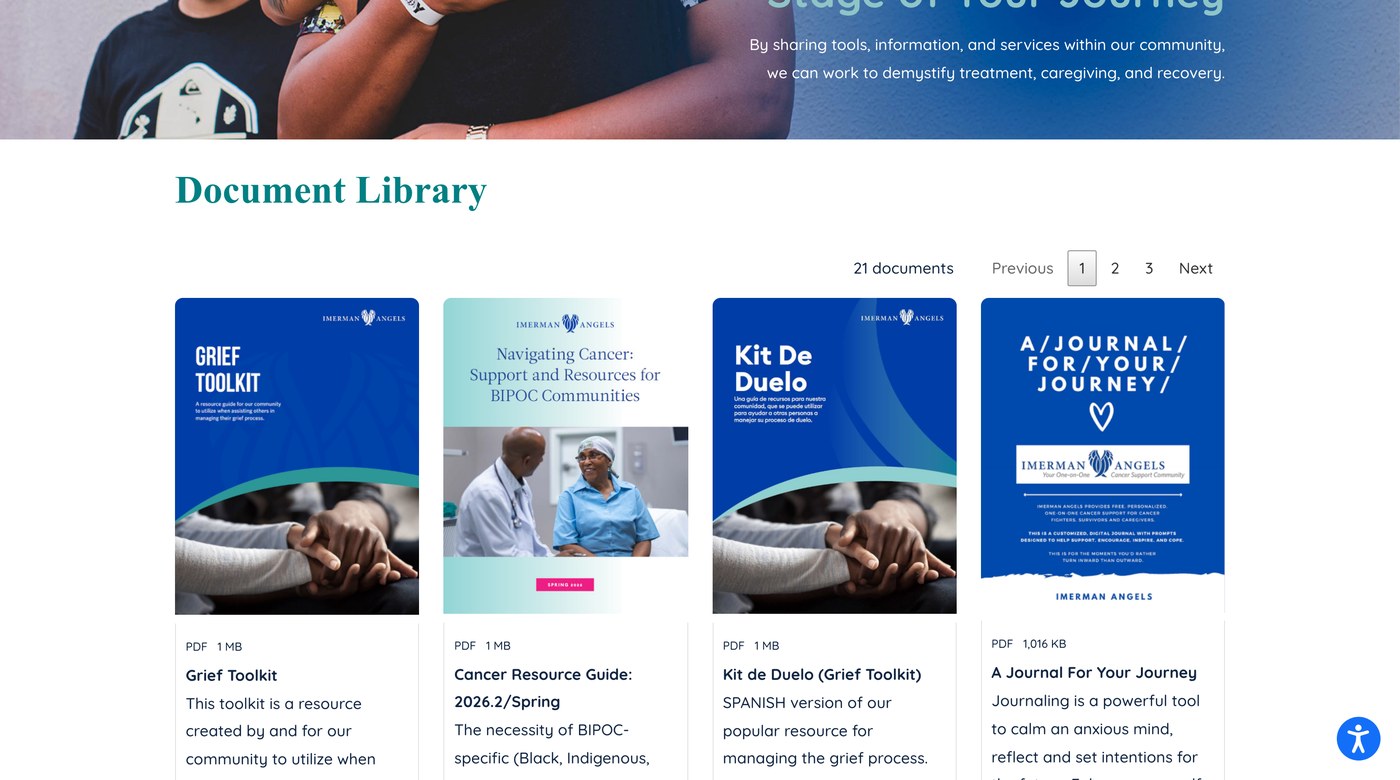
That mix is no accident. We looked at 500 sites running Document Library Pro and the breakdown held steady: nonprofits and charities at about 40%, healthcare organizations at 27%, and councils and government around 17%. Most of their libraries are PDFs shown in a searchable table.
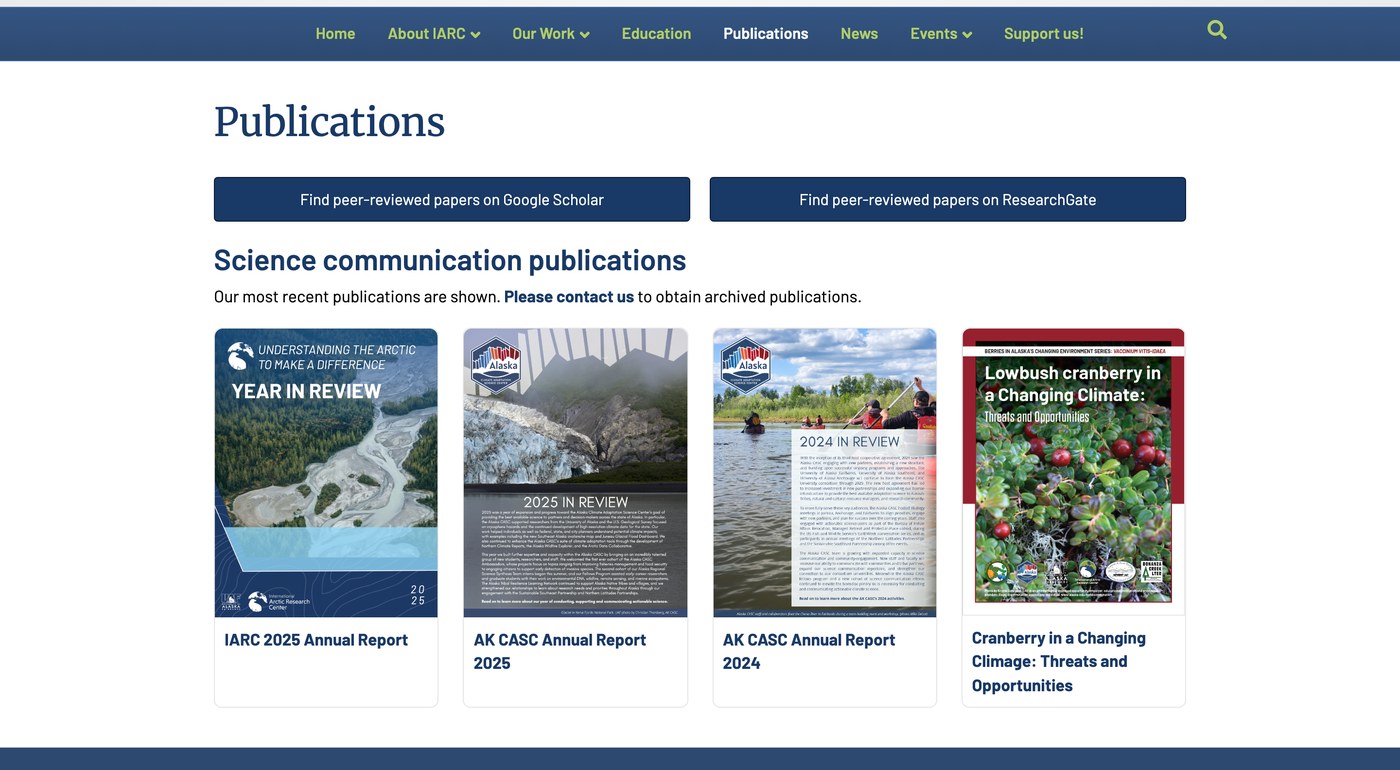
There’s no per-user fee either, so you pay once per site however many people visit, which sidesteps SharePoint’s per-seat bill.
What Document Library Pro won’t do is run your intranet or replace your collaboration suite. If you need co-authoring, approval workflows and team chat, one of the tools below is a better fit. Getting started is easy, with a setup wizard that guides you through building your first library.
- Pros: publishes a searchable library on your own public or private site on any platform, charges no per-user fee, and adds previews, bulk zip downloads, front-end uploads and lead capture.
- Cons: it’s a document library rather than an intranet or collaboration suite, it’s designed for front-end publishing rather than back-end file management, and restricted files need extra protection to block direct-link access.
Box: Secure Enterprise Document Management
Box is enterprise document management software aimed at organizations where security and compliance come first. It gives you granular permissions, encryption, audit trails and workflow automation, which is why regulated industries like finance and healthcare lean on it. If your reason for leaving SharePoint is that you want stronger document governance rather than less of it, Box is the natural move.
Box is enterprise software with enterprise pricing, and it’s overkill if you only need to share a handful of files. The usual complaint is cost: add users and climb the storage tiers and the bill rises quickly, while much of its governance tooling goes unused by smaller teams.
It’s also account-based like SharePoint, so it’s built for sharing documents with named people inside and outside your company, not for publishing an open, searchable library on your own branded website.
- Pros: delivers strong security and compliance, granular permissions, and an established enterprise track record.
- Cons: priced for larger organizations, more than most teams need, and not designed for public-facing libraries.
Google Workspace and Dropbox: Everyday File Storage and Sharing
If what you valued in SharePoint was simple storage and the odd shared file, Google Workspace and Dropbox do that with far less friction. Google Workspace adds real-time co-editing in Docs and Sheets, and almost everyone already knows how to use it. Dropbox keeps things even simpler, with reliable sync and quick share links.
Where both fall short is structure. You share individual files or folders through links, and those links live on Google’s or Dropbox’s domain, not yours. Anyone who has dug through a shared Drive for the current version of a file knows where this falls apart.
Neither gives your visitors a proper search box, category filters or a branded library page. They’re great for collaboration and one-off sharing, and a poor fit if you need a document hub people can browse on your own site.
- Pros: feels familiar, installs easily, and excels at real-time collaboration and quick sharing.
- Cons: no searchable on-site library, sharing happens per file rather than as a browsable collection, and limited structure for large document sets.
Confluence and Notion: Knowledge Bases and Wikis
Some teams use SharePoint mainly to write things down: process docs, project notes, internal handbooks. Confluence and Notion do that far better. Confluence is the standard for engineering and product teams, with deep templates and tight Jira integration. Notion is more flexible, mixing wiki pages with databases in one workspace.
Both are built around pages you write, not files you publish. You can attach documents and share pages publicly, but it’s clunky, and the public version sits on their domain rather than yours.
Confluence has a real learning curve before it feels productive, and Notion tends to slow down and sprawl once a workspace grows past a few hundred pages. Pick these when your goal is internal knowledge, not a library of downloadable files.
- Pros: handles written internal knowledge well, brings strong templates and integrations, and stays flexible in Notion.
- Cons: built for pages rather than file libraries, public sharing is limited and off-brand, and Confluence takes time to learn.
Simpplr, MangoApps and Staffbase: Intranets and Employee Communications
If the part of SharePoint you really relied on was the intranet, the company news and the employee hub, a purpose-built intranet will run rings around it. Simpplr is polished and works well out of the box, MangoApps rolls intranet, communication and workforce tools into one platform, and Staffbase is mobile-first for frontline and deskless staff.
These are internal platforms by design, so they share SharePoint’s main limitation: nothing here is public. They also sit at enterprise price points, which makes them overkill if all you needed from SharePoint was somewhere to keep documents. All three are sold as annual contracts with demos and onboarding, not something you sign up for in an afternoon.
- Pros: deliver modern, well-adopted internal hubs with a far better staff experience than SharePoint, and work well on mobile.
- Cons: internal-only, enterprise pricing, and too much tool if you just want document storage.
Nextcloud: Open-Source and Self-Hosted
For organizations that want to own their data outright, Nextcloud is the leading open-source choice. The core software is free, you host it on your own server, and it covers file storage, sharing and basic collaboration. It’s popular where data sovereignty is a hard requirement, such as government and research.
You take on the hosting and maintenance yourself, which needs technical skill or a willing IT team. Out of the box it’s a storage and sync tool, so turning it into a polished, public-facing library still takes configuration. Plenty of teams underestimate the upkeep, since updates, storage, backups and performance tuning all land on whoever runs your server.
- Pros: costs nothing as open-source software, hands you full control of your data, and charges no per-user fees.
- Cons: you host and maintain it, technical setup is required, and public libraries need extra work.
Which SharePoint Alternative Is Right for You?
There’s no single best replacement, only the best one for the job you used SharePoint for. Match the tool to that job:
- Publishing documents the public can find and download on your own site and branding: Document Library Pro. It’s the only option here built for that, and it works on any platform.
- Secure internal storage with compliance: Box.
- Daily collaboration on files: Google Workspace or Dropbox.
- Internal knowledge and written docs: Confluence or Notion.
- A company intranet: Simpplr or MangoApps.
- Owning your own data on your own server: Nextcloud.
If you used SharePoint for two of these at once, two focused tools often cost less and annoy your staff less than one sprawling platform. And if a public document library is what you’re after, you can try Document Library Pro free for 14 days before you commit.
How to Move Your Documents Off SharePoint
Switching sounds daunting, but your documents are standard files, and you keep them. A sensible order keeps the move calm:
- Export your libraries. Download your document libraries from SharePoint so you have a clean copy of everything before you change anything.
- Audit what’s worth keeping. Plenty of SharePoint content is stale, so decide what still earns its place rather than carrying years of clutter across.
- Split public from internal. Sort your documents by who should see them, so each set points at the right tool from the list above.
- Set up the new tool and import. Build your new library or storage, then upload in batches. Very large libraries are best imported in smaller groups so nothing times out.
- Test before you announce it. Check links, search and permissions, and confirm that restricted files really are restricted and public ones really are reachable.
- Keep SharePoint read-only for a short overlap. Leave the old setup in place but locked from edits for a few weeks, so you can catch anything you missed before switching it off.
The thing most likely to break is old links pointing at SharePoint URLs, so update or redirect those wherever they lived, such as your website, email signatures and saved bookmarks.
Frequently Asked Questions About SharePoint Alternatives
Is SharePoint being discontinued?
No, SharePoint itself isn’t going away. Microsoft is retiring its standalone SharePoint Online and OneDrive plans, with sales having ended in May 2026 and the plans fully gone by 2029, and moving customers onto bundled Microsoft 365 suites. So the product continues, but the cheaper standalone way of buying just the storage is disappearing.
Is there a free SharePoint alternative?
Yes. Nextcloud is open-source and free to self-host, and both Google Workspace and Notion have free tiers for small teams. None of them publish a searchable document library on your own public site, which is where a paid tool such as Document Library Pro fits.
What’s the best SharePoint alternative for document management?
It depends on whether your documents are internal or public. For secure internal document management software with compliance controls, Box is the strongest pick. For publishing documents on your own public-facing website, Document Library Pro is built specifically for that.
Can I replace SharePoint with a single tool?
Sometimes. If you only used one part of SharePoint, such as document storage or the intranet, a single focused tool replaces it cleanly. If you relied on several parts, you’ll usually combine two specialist tools, which often works out cheaper and easier for staff than the all-in-one approach.
