
“Client portal” is one of those terms that means very different things depending on who’s asking. At one end, it’s a full dashboard where clients log in to see invoices, messages and live project updates. At the other, it’s simply a private place to share documents and files with the people you work with.
A lot of businesses go looking for the first when the second is all they need. This post is about that second kind, a client portal built around documents. I’ll explain when that’s all you need, how to build one, and where a simpler setup beats a heavyweight portal.
What People Mean by a Client Portal
Most client portals exist to do one thing: give a particular group of people private access to documents they’d otherwise have to request by email. Usually that means contracts, reports, statements and deliverables.
The bigger platforms build extra features around that core, like billing, e-signatures, messaging and per-client dashboards. Those are worth paying for if you need them. If all you really need is a place for clients to find and download the right document, then you’ll end up paying for features you don’t need.
When a Document Library Is Enough
You can skip the full client portal, and use a simple document library instead, when:
- You mainly need to share documents and files, not run billing or messaging through the same tool.
- The same set of documents serves a group, such as your clients, members or partners, rather than a unique dashboard for each person.
- You want it on your own website or intranet, not a separate system everyone has to log into.
- You need to control who sees what, with a password or a members-only area.
A document library covers all of that. Clients reach it through your own site, with no new system to learn.
How to Create a Client Portal for Documents
This is the kind of job we built Document Library Pro for. It puts your documents into a private, searchable library, where clients search, filter by category and preview files before downloading the ones they need. A password or a members-only login controls who gets in.
Document Library Pro is available for any platform. If you already have a WordPress site, you can buy it as a WordPress plugin. For all other platforms, you embed it into a public or private area using a simple embed code.
A document portal like this comes together quickly:
- Gather the documents. Add the contracts, reports, guides and statements your clients need, each with a clear title, description and category.
- Sort them so clients can find things. Group documents into categories and add tags, so a client filters straight to what they’re after.
- Lock it down. Protect the library with a password, or limit it to logged-in members, so only the right people get in.
- Choose a layout. A table suits formal documents, a grid suits visual deliverables, and folders suit browsing by project or client.
- Embed it where clients already go. Place the portal on your existing website or intranet, so clients don’t sign in to yet another separate system.
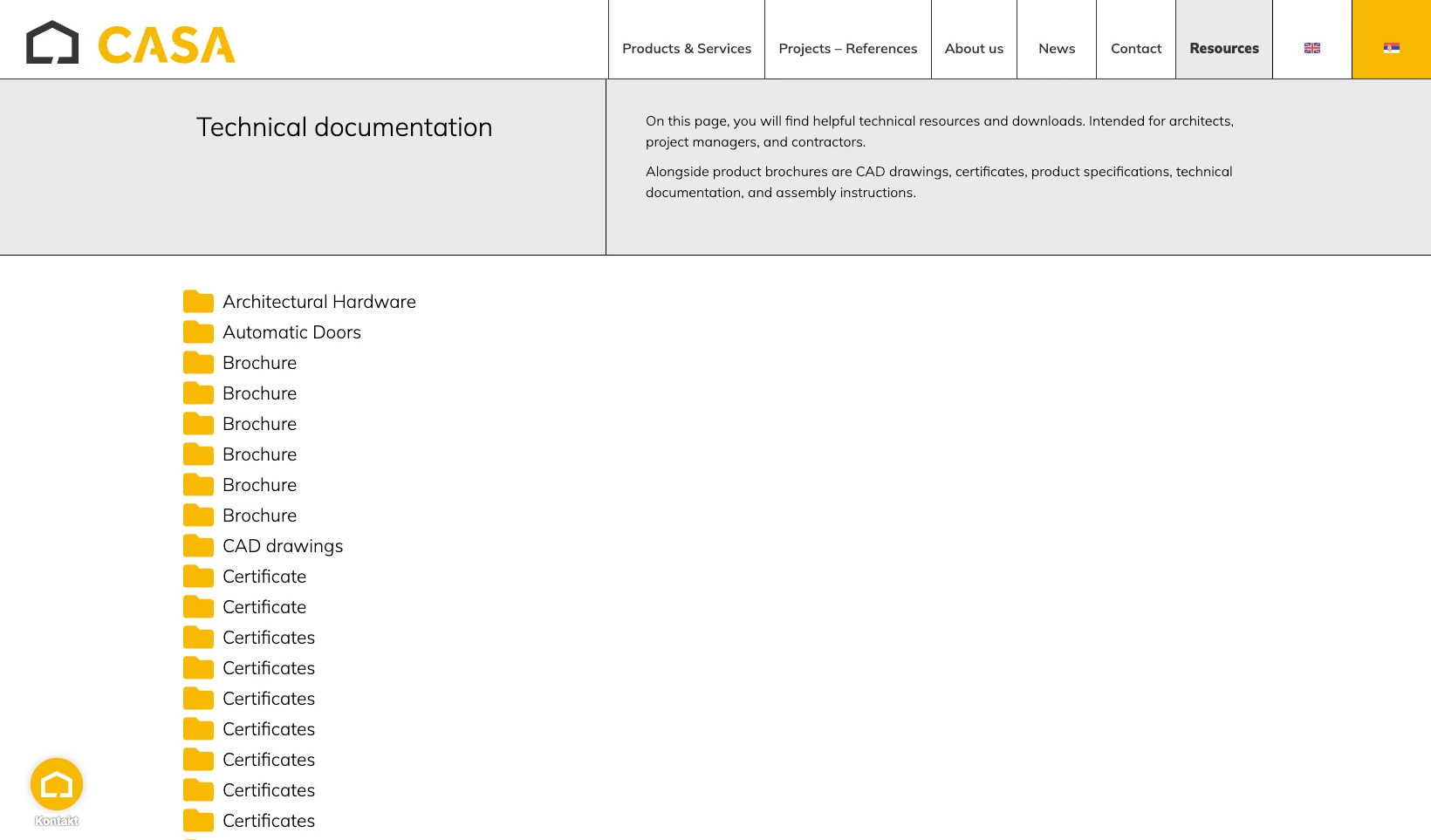
CASA Architectural Hardware does exactly this. Rather than emailing technical files on request, this building-hardware supplier gives its trade customers a searchable library of product documentation. Customers filter by category and reach the right spec sheet in seconds.
For a step-by-step walkthrough of each stage, see my full guide to creating a document library.
A Document Portal vs a Full Client Portal
The choice really depends on what you are asking clients to do.
- Buy a full client portal if they need to pay invoices, sign documents and message you in one place. Don’t fight it, because that’s what the software is built for.
- Use a document library if they mostly need to reach the right document. A heavyweight portal is overkill, and a library gives them a cleaner experience for a fraction of the cost and setup.
Your clients’ patience matters here, too. Every separate login is friction, and a document portal on your own site, behind one password, asks far less of them than a brand-new account on dedicated client portal software.
Frequently Asked Questions
What Is a Client Portal?
A client portal is a private area where a business shares documents, files and information with its clients. Some include billing and messaging, but the simplest version is a secure document library that clients log in to reach.
Can I Create a Client Portal Without Separate Software?
Yes. If your main need is sharing documents, Document Library Pro lets you build a private, searchable library and embed it in your existing website. Clients then use one login rather than a separate portal system.
Can Clients See Only Their Own Documents?
Document Library Pro lets you password-protect a library, restrict it to members, and use separate libraries or categories for different groups. For fully personalized, one-dashboard-per-client views, dedicated client portal software is a better fit.
Is a Document Portal Secure?
Document Library Pro lets you require a password or a member login before anyone reaches the library, and you can keep it behind your own site’s protection for sensitive files.
Keeping a Client Portal Simple
A client portal doesn’t have to be a big system. If all you’re doing is getting documents into the right hands, a private document library is quicker to set up and cheaper to run. It’s also easier for clients to use than a full portal they’ll barely touch.
When your needs genuinely outgrow that, you’ll know, because you’ll be reaching for billing and messaging rather than somewhere to put the files. You can build a document-based client portal with Document Library Pro and try it free for 14 days.
